
AppManager is getting an upgrade. Introducing AppManager Reports and Zone Event Pause. You can now get detailed reports automatically delivered when you need them and customize which zones are impacted by event pauses.
If you regularly create reports for high-profile accounts, AppManager Reports is built for you. It’s particularly useful if you:
- Prepare recurring reports for clients
- Need to track when and how controllers are being modified
- Want cleaner data exports for your own reporting tools
What’s New
Controller Audit Log
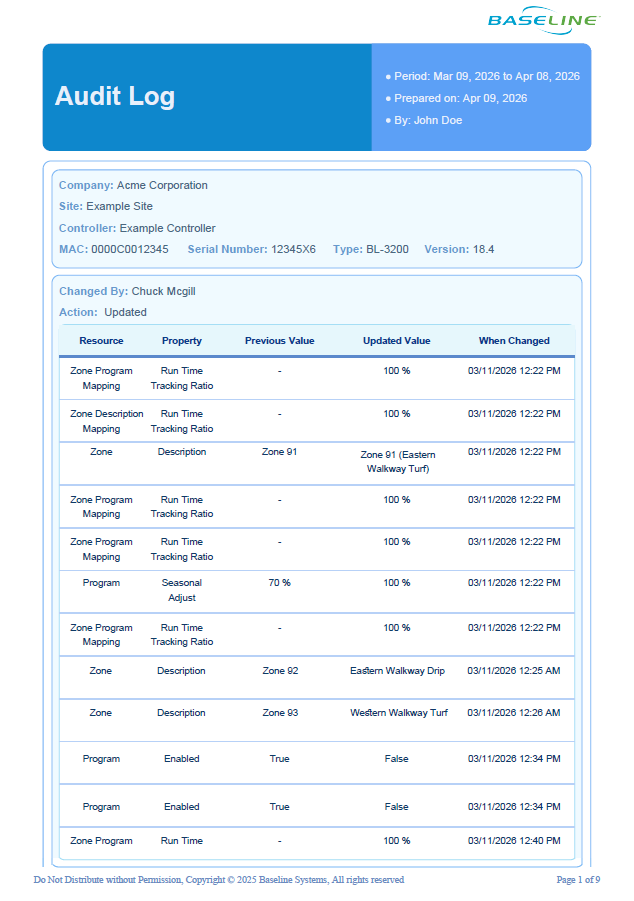
Get notified whenever someone modifies a controller’s programming with the Controller Audit Log Report. You can monitor specific controllers, or your entire portfolio. You’ll know exactly what changed and when, so nothing slips by unnoticed. When combined with the subscription feature you can be notified whenever a change occurs.
Report Subscriptions
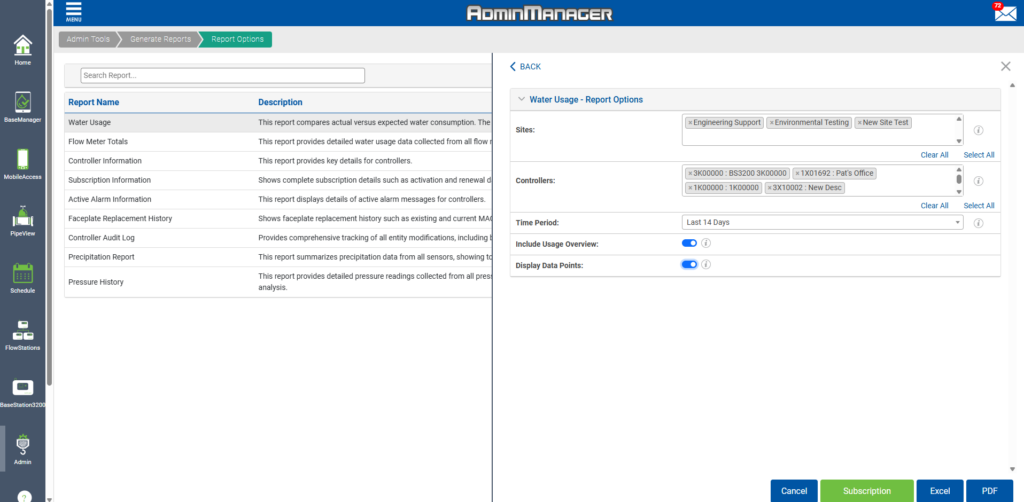
Choose which reports you want and how often you want them: weekly, monthly, or on your own schedule. Reports can be sent to any email without the need for manual generation. Your team can all receive regular reports on site health for increased visibility.
New and Improved Report Types
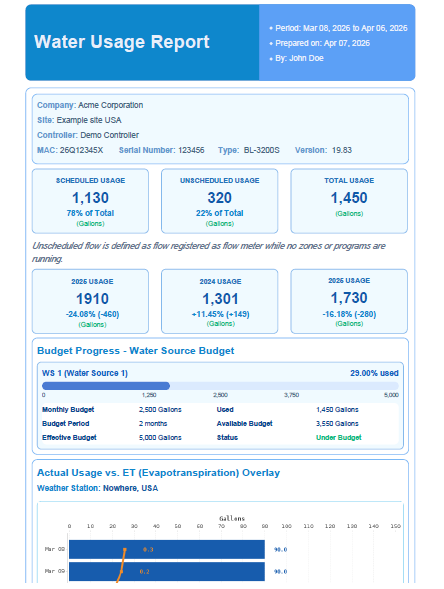
We’ve overhauled the reports that were available in BaseManager. You can now generate reports for an entire account, over a specific amount of time. Reports have more detail, more features, and export cleanly to excel or as an executive-ready PDF. New report types help you track active alarm information, precipitation rates, pressure alerts, and more.
Zone Pause
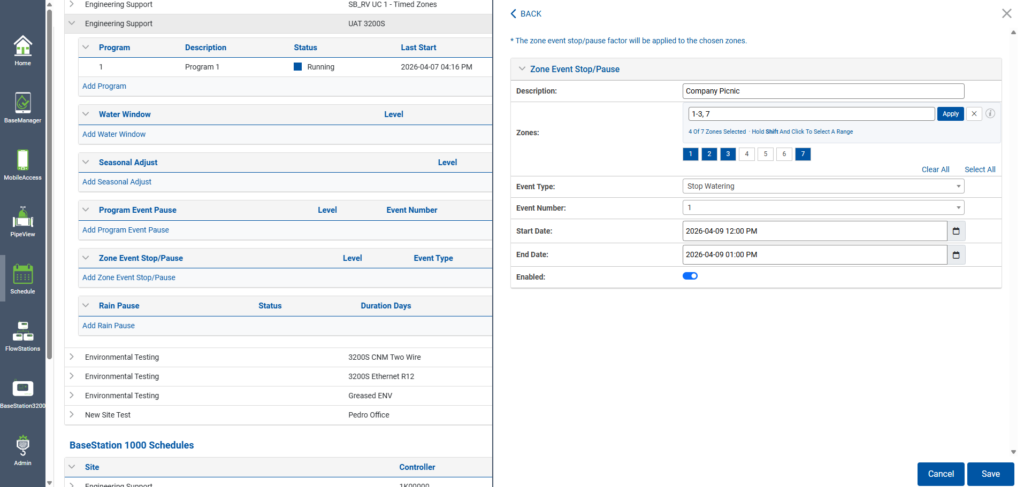
You can now create event pauses for specific zones. If you manage a large site that has an event occurring in a certain area, you can choose to not irrigate in that specific area. Just go to the Manage Controller page in AppManager or on your controller and select the “Zone Event Pause” tab.
Good to Know
- You’ll need Account Admin access in AppManager to use the reports tab.
- You will need to update your controller to the latest firmware to take full advantage of the newest features. Download versions 18.5 and 19.9 here.
- BaseManager reports aren’t going away — they’ll stay as-is.
Learn More
Head to the Admin tab in AppManager to explore the new reports. Set up your first subscription and let the reports come to you. For more information, click here.
For information on the how to use zone event pauses, click here.
To download the latest firmware, click here.
“This is stunning. Saves me a lot of time, and is good at-a-glance.”
– Jack Kostoylo, Portland Parks & Rec