
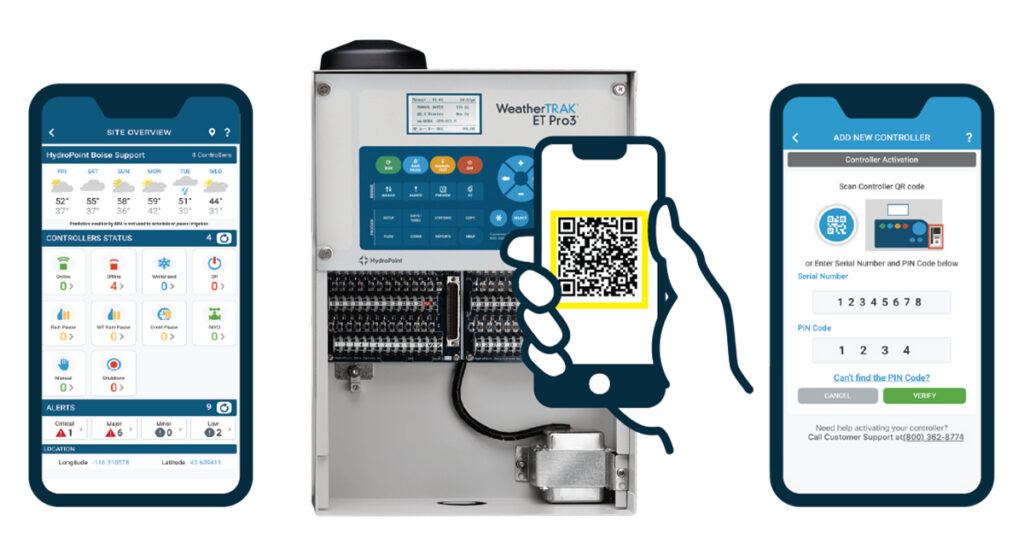
WeatherTRAK Mobile now gives you more power to manage your site how you see fit. We’ve streamlined controller installation with a new self-activation feature in the WeatherTRAK mobile app and made the site overview interface easier to navigate.
Self-Activation
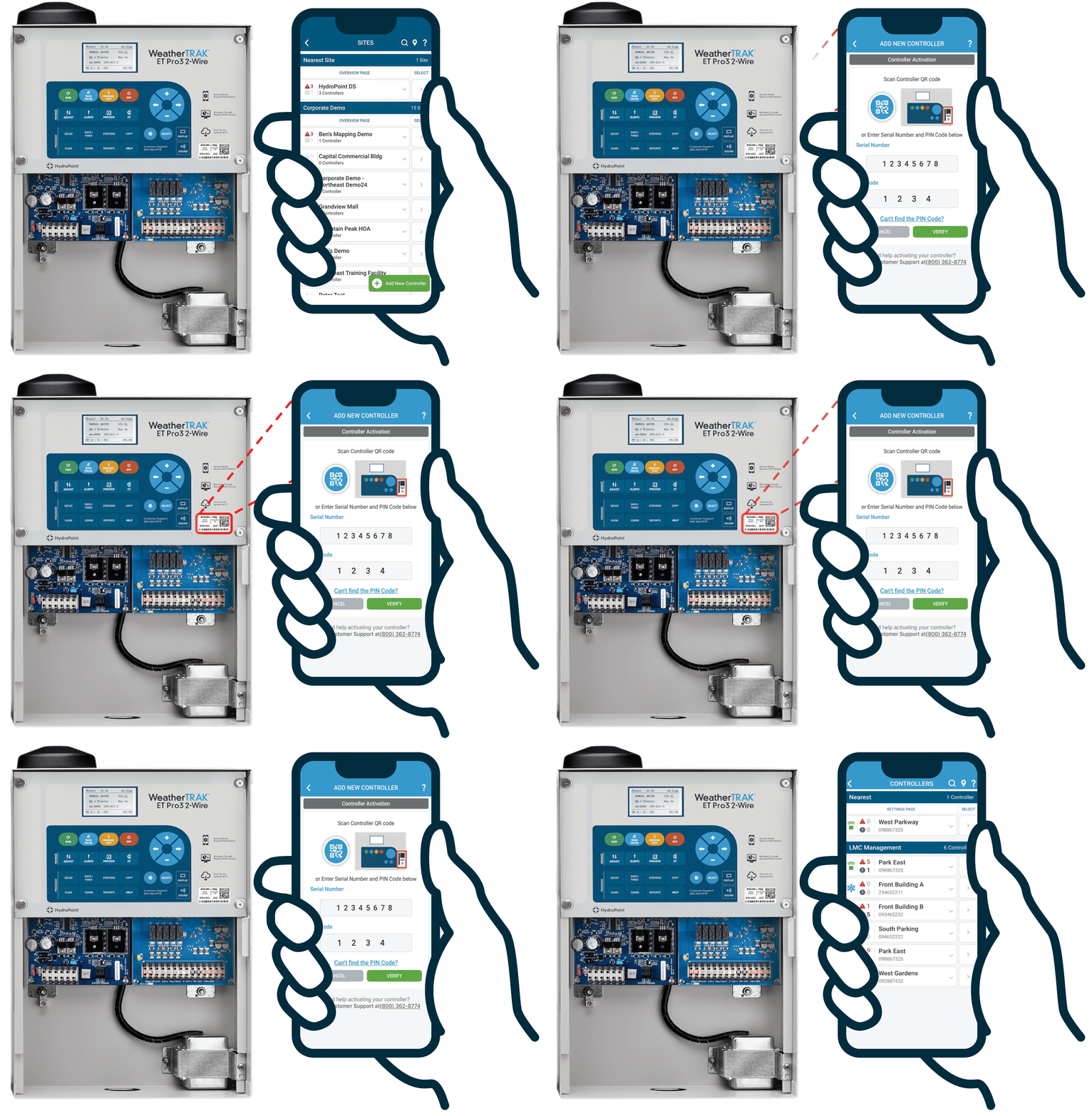
Faster installs
Complete activation in seconds and move forward using the new self-activation feature. Just scan the QR code on the front of your controller and add it to the site. Your crews maintain momentum without waiting for remote assistance or office hours.
Install on your schedule
Activate controllers when it works for you. Whether you do early morning deployments, weekend retrofits, or emergency replacements, you get to choose the timeline.
You’re in control
Account administrators decide who on their team can activate controllers, so you can delegate installs with confidence.
Usability upgrades
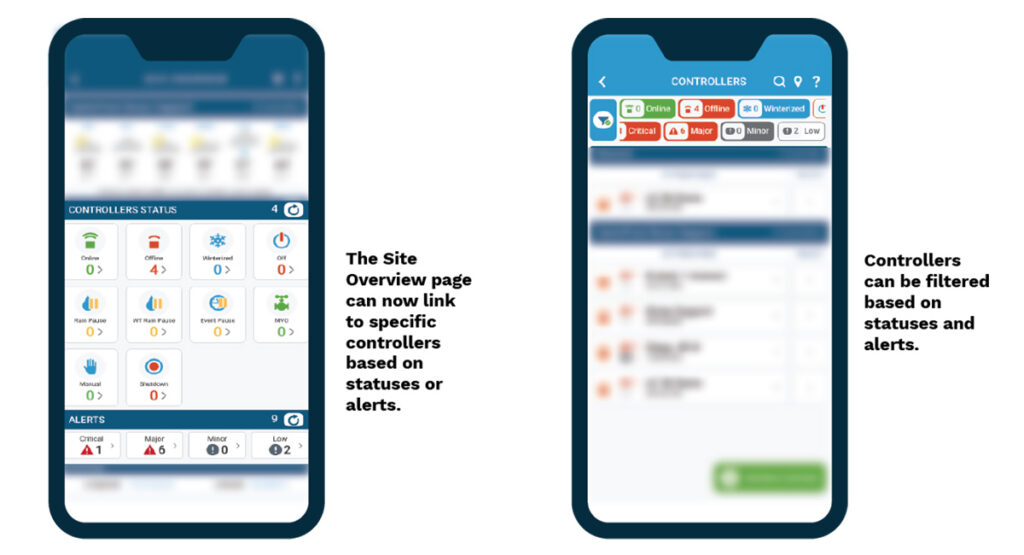
Troubleshoot effortlessly
The site overview page has been upgraded with interactable alerts and statuses. You can now filter controllers by alerts and statuses for rapid site health assessment. Once filtered, you can select controllers directly from the list, no more searching through the list. This feature is especially impactful for multi-controller sites that require careful management.
Get Started
Make sure to update your WeatherTRAK mobile app to the latest release. You can update the app using the links below:
To add controllers to a site, you will need to be an account administrator and the site must already exist in WeatherTRAK. Read this guide for a step-by-step walkthrough of using the feature.