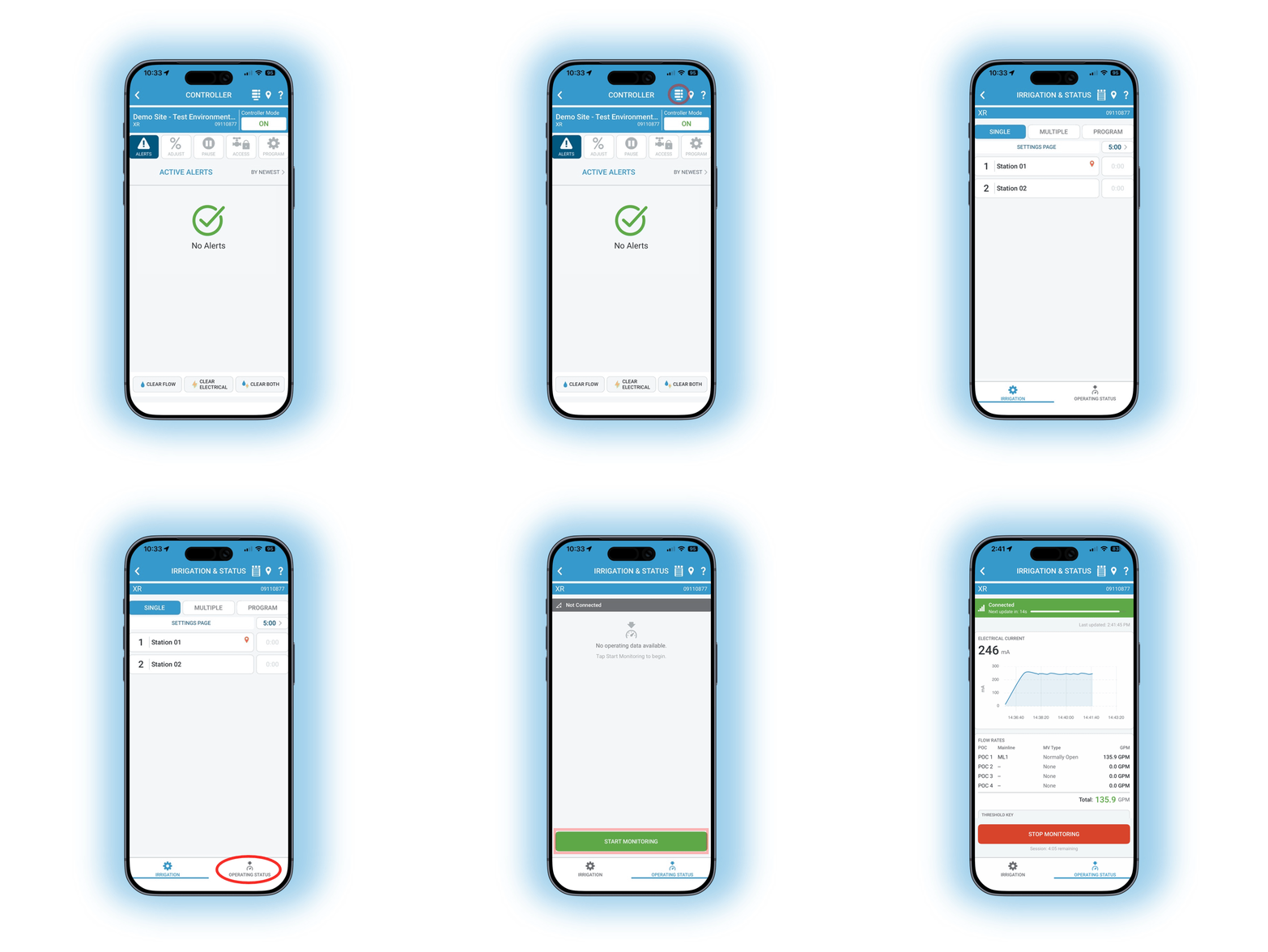
HydroPoint is extremely excited to release two highly anticipated features in the WeatherTRAK mobile app: Live Flow and Electrical Diagnostics.
You can now see real-time flow data directly in the mobile app, which enables remote flow troubleshooting without the need for a laptop. You can also see an OptiFlow controller’s total milliamp load from anywhere with your mobile device, whether at station or a different site.
Simply update the app, open WeatherTRAK Mobile, select a station, and tap the “Operating Status” Button.
Troubleshoot Flow in the field
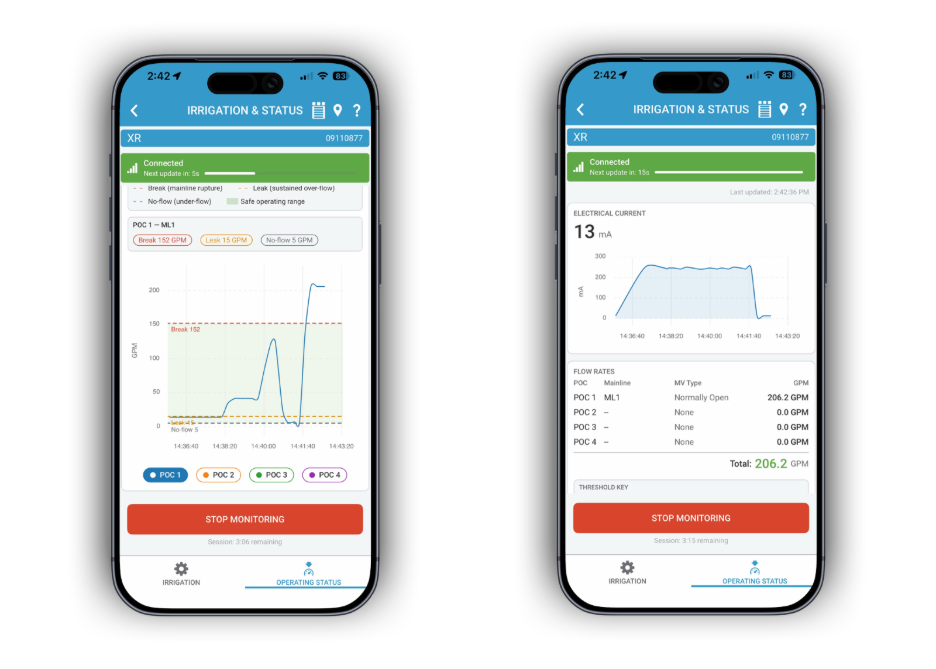
WeatherTRAK Mobile now gives you the tools to assess your site’s hydraulics without going to the controller. Flow can be tracked across multiple points of connection or stations. The app syncs alert thresholds with WeatherTRAK Central, so you can see if flow will trigger an alert before it happens. This feature makes leak detection and shared flow setup easier than ever.
Diagnose Wiring Issues (OptiFlow Only)
The mobile app can now chart the controller’s total milliamp load, helping users confirm whether the system is operating within the acceptable electrical range. This feature makes remotely troubleshooting electrical issues seamless, no milliamp meter required. Available for all controllers using 8X firmware, on conventional or two-wire systems.
Checking Station Status
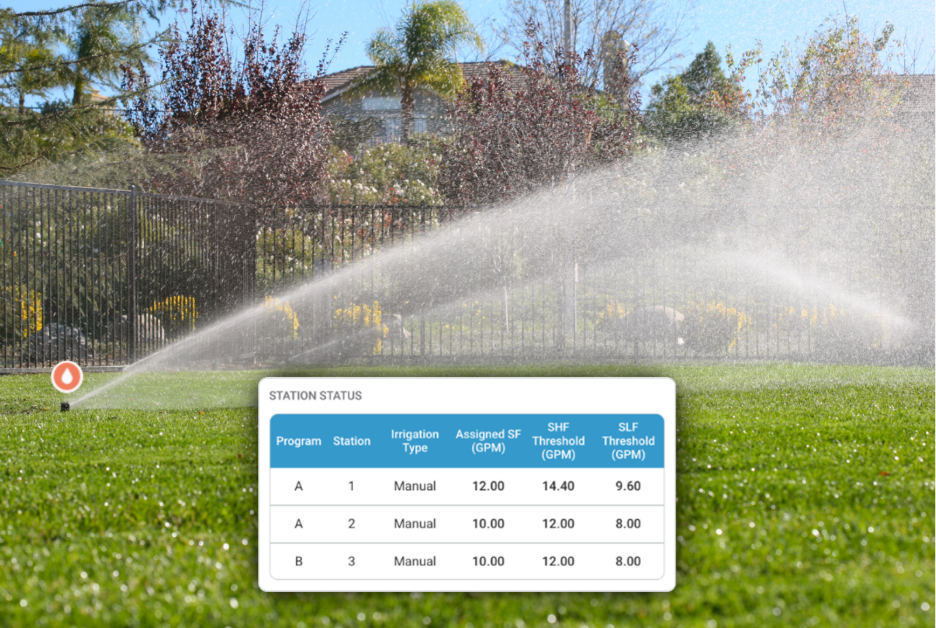
The Station Status screen can tell you which stations are operating at a given time. You can now check station-level details, including program, irrigation type, and flow details. Checking which programs are running is now possible remotely, no visual confirmation required.
FAQ
Which Controllers are Compatible?
All flow-enabled controllers with a connected flow monitor will be able to see live flow information. Only controllers equipped with 8X firmware can see live electrical information, such as OptiFlow controllers. By default, Pro3 and LC+ controllers operate on 7X firmware. Live electrical data is available for both Two-Wire and Conventional systems.
How often does data update?
Data updates every 10 seconds when monitoring a station.
More Information
To start, update WeatherTRAK Mobile to 3.9 using the App Store or Google Play Store.
Once you have updated the Mobile App, head to the station list, select a station, and select the Operating Status button in the bottom right corner. For more information on how to use these features, click here.